
The gated vs. ungated content debate is the wrong fight. The real problem is treating the form fill as the conversion event. Here is when to gate, how to cut form friction in HubSpot and Salesforce, and what signal should replace the download.
Joe LaGrutta, Founder, JayOh
Your prospects aren't afraid of your product. They're afraid of your form.
Think about what actually happens after someone gives you their email. They get enrolled in a nurture sequence they never asked for. Scored by a model nobody has audited. Routed to a rep who opens with "I saw you downloaded our guide."
Buyers learned. That's why your form fills are full of burner emails, and why most of the evaluation now happens before anyone identifies themselves.
Most teams respond by adding more gates. More content behind more forms, because the pipeline number depends on lead volume. So you end up optimizing for the one moment the buyer trusts you least.
The system fix: stop treating the form fill as the conversion event.
HubSpot just made Bombora's Company Surge intent data native on the company record. No separate contract, no export, no middleware. You can see which accounts are researching your category before anyone hands over an email, and feed that straight into scoring, lists and routing.
That changes the sequence. Account shows research intent, sales gets a signal, outreach references the problem instead of the PDF. The form becomes something a buyer uses when they're ready, not a toll booth they pay to learn anything.
Fewer MQLs. Better pipeline. Reps stop burning credibility on people who clicked once.
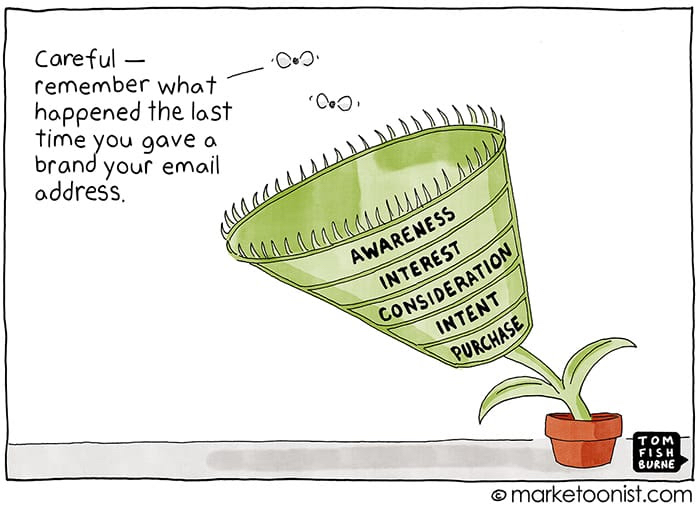
The funnel was never the buyer's journey. It was our reporting structure with arrows drawn on it.
Build the system around what buyers actually do, and you stop needing to trap them.
Takeaway: buyers avoid forms because of what happens after them, so more gates buy you more junk, not more pipeline.
Pipeline targets depend on lead volume, so every new asset gets a gate. You optimize the one moment the buyer trusts you least, and call the result an MQL.
Unasked-for nurture, a score nobody audited, and a rep opening with "I saw you downloaded our guide." The rational response is a burner email and a fake title.
Buyers research, shortlist and mostly decide before they identify themselves. A gate does not change that. It only hides the research from you.
Phone, company size, title, industry. Most of it enrichment can fill, and much of it feeds no routing rule or score. Every extra field is friction with no buyer.
A download becomes an MQL and lands in the same rep queue as a demo request. Reps learn the queue is noise and stop working it fast, including the real hand-raisers.
Takeaway: short content forms convert, hand-raise forms book, and the funnel only works when the MQL to SQL step is not full of researchers.
| Metric | Weak | Acceptable | Strong | Source |
|---|---|---|---|---|
| Content-form conversion by visible fields | 7+ fields, about 12% or less | 4 to 5 fields, 20 to 23% | 1 to 3 fields, about 25% | FoundryCRO compilation of HubSpot, Quicksprout and WPForms data, 2026 |
| Demo form: qualified-to-booked rate | Under 50% | About 62% (median) | 78%+ (top 10%), 88% best in class | RevenueHero, 1M+ B2B SaaS form submissions, 2026 |
| MQL to SQL conversion | Under 12% | 12 to 21% (median about 15%) | 30%+ | The Digital Bloom, B2B SaaS Funnel Benchmarks, 2025 |
| SQL to opportunity | Under 30% | 36 to 42% | 40%+ | The Digital Bloom, 2025 |
| Fully gated vs. partially ungated landing page | 2.08% (fully gated) | Test both | 3.7% (partially ungated) | Bokka Group case study, 2024, via LeadSpot |
Sources and years shown per row. The weak and strong cut lines are JayOh's reading of the published ranges, not a single study. Field-count data mixes industries, so treat it as direction, not a target.
Takeaway: decide the gate per asset, cut every field nothing uses, and move the conversion event from the download to the hand-raise and the account signal.
Takeaway: gate on value, ask only what a rule uses, and judge the change on pipeline, not MQLs.
Takeaway: plug in one asset's real numbers and see which choice makes more pipeline, not more form fills.
Calculating.
Defaults are illustrative assumptions for a mid-market SaaS guide, not benchmarks. Replace them with your 90-day numbers from step 1. Math: gated SQLs = visitors x form rate x (1 minus junk) x download-to-SQL. Ungated SQLs = readers x hand-raise rate x hand-raiser-to-SQL, plus identified accounts x signal-to-SQL. Pipeline = SQLs x SQL-to-opportunity x ACV.
Takeaway: run this per asset and per form once a quarter. Paste it into your doc, Asana task or Notion page.
GATING + FORM AUDIT CHECKLIST (JayOh)
Asset: ____________   Owner: ____________   Date: ____________

A. GATE TEST (1 point each)
[ ] Original and costly to produce (proprietary data, benchmark, tool, template)
[ ] Mid or late funnel (comparison, ROI, implementation, pricing context)
[ ] A buyer would knowingly trade a work email for it
[ ] Named follow-up plan that is not a generic nurture
[ ] Not a blog, case study, definition or intro webinar
Score: ___ / 5    5 = Gate    3-4 = Partial gate    0-2 = Ungate + hand-raise CTA

B. LAST 90 DAYS
Visitors: ____   Form fills: ____   Junk %: ____   SQLs: ____   Pipeline: $____

C. FORM FIELDS (Keep / Enrich / Cut)
Field: ________   Used by (routing, score, personalization, report, none): ________   Decision: ____
Field: ________   Used by: ________   Decision: ____
Field: ________   Used by: ________   Decision: ____
Target: content forms 1-3 visible fields. Hand-raise forms: only what routing needs.
[ ] HubSpot form shortening on (updated editor) or progressive fields queued (legacy)
[ ] UTMs, asset name and offer type in hidden fields
[ ] Email validation and bot protection on

D. CONVERSION EVENT
[ ] Download adds engagement points only, never an MQL alone
[ ] Demo, pricing and contact forms go to the sales-ready path with an SLA
[ ] Fit and engagement scored separately

E. SIGNAL + ROUTING
Intent topics (max 12): ______________________________
Rule: research level High or Medium + ICP tier A/B + 2 pricing or product views in 14 days
Owner: account owner   Action: task + problem-led sequence
[ ] Outreach references the problem, never the PDF

F. MEASURE WEEKLY
[ ] SQLs and pipeline by conversion type: hand-raise / content / signal
[ ] MQL volume tracked as secondary, not the target
content-gating-audit~/.claude/skills/content-gating-audit/SKILL.md, or under .claude/skills/ in your repo.Skills are available on Claude Pro, Max, Team and Enterprise plans. New to skills? Read how to use skills in Claude.
---
name: content-gating-audit
description: Audits a B2B content library and its lead forms, then decides gate, partial gate or ungate for each asset, cuts form fields nobody uses, and names the signal that should replace the form fill. Use when someone pastes a content inventory, a form field list, form-to-SQL numbers, or asks "should we gate this", "why are our MQLs junk", "how many fields should this form have" or "how do we get leads from ungated content".
---

# Content Gating Audit

Apply the JayOh gated vs. ungated framework to the user's own assets, forms and funnel numbers. Work only from what the user provides.

## Inputs to ask for (use whatever is given, list the rest as missing)
1. Content inventory: asset name, type (blog, case study, guide, benchmark report, template, ROI tool, webinar), funnel stage, cost to produce, current gate status.
2. Per gated asset, last 90 days: page visitors, form fills, SQLs, pipeline created.
3. Each form: every field, whether it is required, and what uses the field downstream (routing rule, score, personalization, report, nothing).
4. Stack: HubSpot (tier, updated or legacy form editor, Buyer Intent on or off) or Salesforce (lead object, Flow, intent provider).
5. ACV and SQL to opportunity rate.

## Step 1. Score each asset with the gate test
Give one point for each true statement:
- Original and costly to produce (proprietary data, benchmark, tool, template a buyer would pay for).
- Mid or late funnel (comparison, ROI, implementation, pricing context).
- A buyer would knowingly trade a work email for it.
- There is a named follow-up plan that is not a generic nurture.
- The asset is not a definition, blog, case study or intro webinar.

Verdict: 5 points = Gate. 3 to 4 points = Partial gate (ungated summary, gated full data or tool). 0 to 2 points = Ungate and add a hand-raise CTA.

## Step 2. Check the asset math when numbers exist
- Gated SQLs = form fills x (1 minus junk share) x download-to-SQL rate.
- Ungated SQLs = readers x hand-raise rate x hand-raiser-to-SQL rate, plus identified accounts x signal-to-SQL rate.
- If the user has no ungated numbers, show the break-even hand-raise rate: (gated SQLs minus signal SQLs) divided by (readers x hand-raiser-to-SQL rate).
- Pipeline = SQLs x SQL-to-opportunity rate x ACV. Never invent a rate. If one is missing, say which and stop the math there.

## Step 3. Audit every form field
For each field, mark Keep, Enrich or Cut:
- Keep only if a routing rule, score or personalization uses it today. Quote the user's description of that use.
- Enrich if enrichment can fill it (company, title, size, industry, country). In HubSpot, turn on form shortening in the updated form editor. In legacy forms, use queued progressive fields.
- Cut if nothing uses it.
- Context such as UTM source, campaign and asset name goes in hidden fields, never visible fields.
Targets: content forms 1 to 3 visible fields. Hand-raise forms (demo, pricing, contact) can carry more, but only fields routing needs.

## Step 4. Replace the form fill as the conversion event
- A content download adds engagement points. It is never an MQL on its own.
- Hand-raise forms go straight to the sales-ready path with a speed-to-lead SLA.
- Name the account signal to add: HubSpot Company Surge topics (up to 12, research level High or Medium on ICP-fit accounts), website visits to pricing or product pages, product usage, or the user's intent provider.
- Define the routing rule in one sentence: signal plus fit plus recency, owner, action.

## Output format (always this order)
1. Summary: three lines. Biggest leak, biggest fix, expected effect stated as a range only if the user's numbers support it.
2. Asset table: Asset | Gate score | Verdict | Why (quote the input) | Next action.
3. Form field table: Form | Field | Keep, Enrich or Cut | Downstream use (quoted) or "none found".
4. Signal and routing plan: the signal, the rule, the owner, the first outreach angle.
5. Metrics to watch weekly: SQLs and pipeline by conversion type (hand-raise, content, signal), MQL volume as secondary.
6. Missing evidence: every input you needed and did not get.

## Guardrails
- Quote the user's input as evidence for every verdict.
- Never invent numbers, benchmarks, field usage or tool features.
- If evidence is missing, list it under Missing evidence instead of guessing.
- Do not recommend ungating everything. Original, costly, late-stage assets can earn a gate.
- Keep recommendations executable in HubSpot or Salesforce with named settings.

Built by JayOh (jayoh.io). Framework and benchmarks: https://jayoh.io/gated-vs-ungated-content/
Takeaway: gate rarely and on purpose, keep forms short, and measure pipeline instead of form fills.
Some content, yes. Gate original, costly, mid or late funnel assets like benchmark reports, ROI tools and templates when you have a real follow-up plan. Ungate blogs, case studies, definitions and intro webinars. With 67% of B2B buyers preferring a rep-free experience (Gartner, 2026), gating everything mostly produces junk leads.
Score each asset on five questions: original and costly, mid or late funnel, worth a work email, has a follow-up plan, and is not a blog, case study or definition. Five points means gate. Three or four means a partial gate with an ungated summary and gated full data. Zero to two means ungate and add a hand-raise CTA.
One to three visible fields for content forms. Published field-count data shows about 25% average conversion at 1 to 3 fields versus about 12% or less at 7 or more (FoundryCRO, 2026). Demo and contact forms can ask a little more, but only fields a routing rule actually uses. Let enrichment fill company, title and size.
Put a hand-raise CTA in the asset for demos, pricing or an assessment, and capture account-level signals. Turn on intent such as HubSpot Company Surge, track pricing and product page visits on identified companies, and route signal plus fit plus recency to the account owner with problem-led outreach.
Form shortening works in HubSpot's updated form editor. It shows only Email first, then hides fields that enrichment can fill, and it no longer uses credits as of September 3, 2025. Progressive fields are the legacy-editor feature that swaps already-known fields for queued new ones. Progressive fields aren't supported in the updated editor.
Report SQLs and pipeline by conversion type every week: hand-raise, content and signal. Track page views of the asset on associated companies, and set an original conversion type on deals by workflow. Keep MQL volume as a secondary line so the drop in form fills doesn't hide the change in pipeline.
Yes. Company Surge, powered by Bombora, is available in HubSpot's Buyer Intent tool with no separate Bombora contract or per-signal charge. It needs HubSpot credits or a seat plan that includes them, supports up to 12 topics, and signal-based lead scoring requires Marketing Hub or Sales Hub Professional or Enterprise.
The funnel was never the buyer's journey. It was a reporting structure with arrows drawn on it. We rebuild lifecycle stages, scoring and routing so pipeline replaces MQL volume as the target, then wire enrichment and intent into the CRM so reps work signals, not downloads. It's the same system work behind $2.2M in pipeline in 90 days and a 68% CPL reduction for our clients.



